Images and sounds
API
| Hook | Contract |
|---|---|
useImage(key) |
string | undefined: the URL of the game's art key. |
useSounds() |
Sounds: { play(key: string, options: PlaySoundOptions): SoundHandle; stopAll(type?: SoundType): void }, the same object for the whole match. PlaySoundOptions is { type: "music" | "effect"; loop?: boolean; volume?: number } and SoundHandle is { stop(): void }. play throws for a key the game has no sound for. See Sounds. |
useAudioSettings() |
AudioSettings: { music: boolean; effects: boolean }, what the player hears now. See Sounds. |
Images
Get the URL of uploaded art with useImage(key), where key is the art's key in the game's art library. The hook returns undefined when the game has no image for the key: draw a fallback then.
import { useImage } from "boardweaver/react";

export function CardBack() {
  const image = useImage("CardBack");
  return image ? <img src={image} alt="Card back" /> : <span>Card</span>;
}
When you rename an art key, change every useImage call that names it.
Sounds
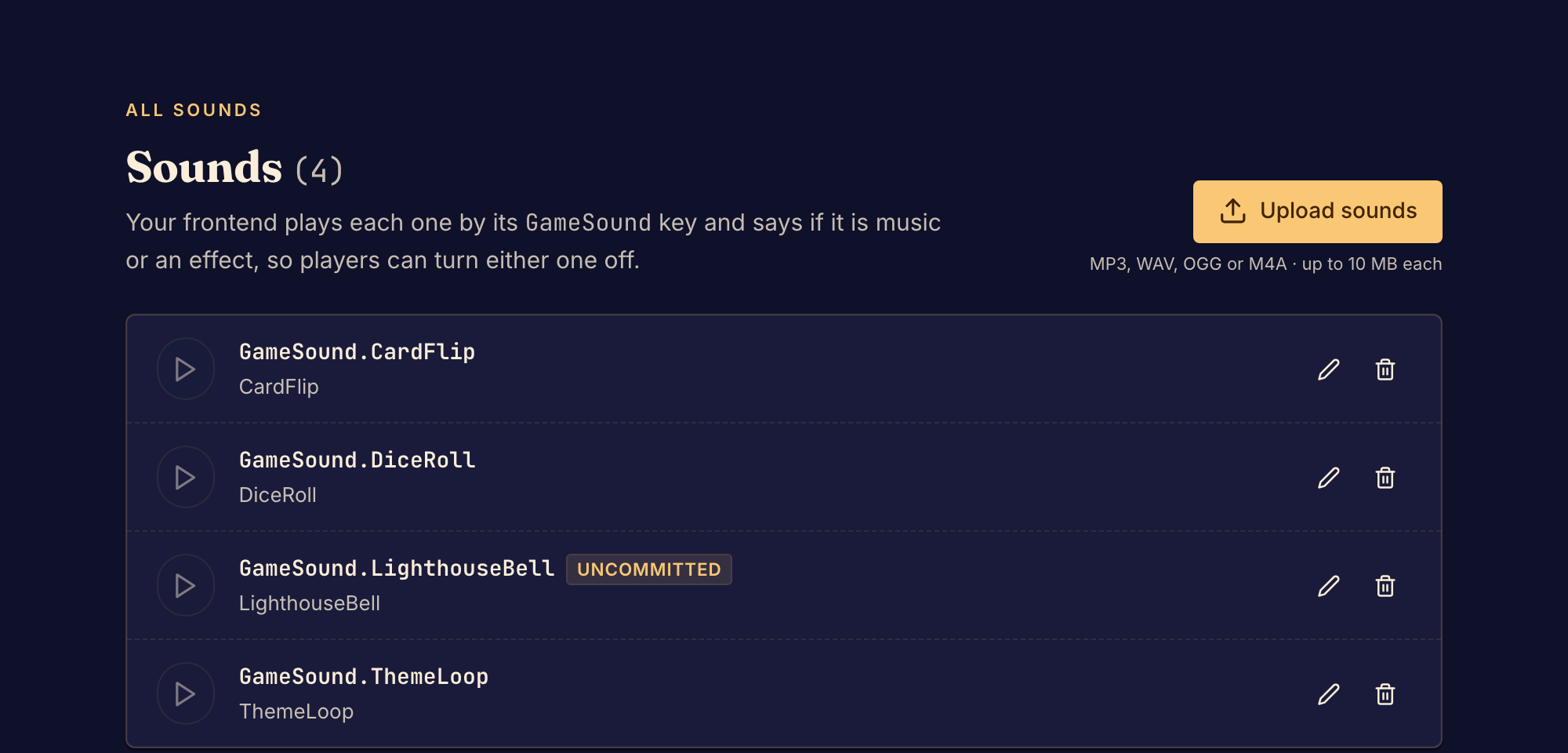
Upload each sound with upload_sound, or with Upload sounds in the studio's Sounds view:
- The file is MP3, WAV, OGG or M4A, at most 10 MiB.
- The key is UpperCamelCase ASCII letters and digits, such as
DiceRoll. The sound lives at/sounds/<Key>. - Uploading needs the Designer or Professional plan. Every player hears the game's sounds, whatever their plan.
- An upload is a pending change. The studio preview plays it at once, and
commitmakes it permanent. - Upload the same key again to replace a sound. Move it with
rename_fileand remove it withdelete_file, then change every key the client plays to match. - For a local file too large to pass inline, call
create_uploadwith target{ type: "sound", key }, its SHA-256 and its byte length. Then follow Upload local files to POST the raw file.
Play a sound by its key with useSounds(). Give each play a type: "music" for a soundtrack or an ambient loop, or "effect" for a sound that answers a step:
import { useEffect } from "react";
import { useLastChange, useSounds } from "boardweaver/react";

export function GameSounds() {
  const sounds = useSounds();
  const change = useLastChange();

  useEffect(() => {
    const theme = sounds.play("ThemeLoop", { type: "music", loop: true });
    return () => theme.stop();
  }, [sounds]);

  useEffect(() => {
    if (change.coalesced || change.direction === "back") return;
    if (change.steps.some((step) => step.movements.length > 0)) {
      sounds.play("PiecePlaced", { type: "effect" });
    }
  }, [change, sounds]);

  return null;
}
- Play each step's sound from an effect on
useLastChange(), so it plays as Boardweaver shows the step, for the seat's own steps and other players' alike. Skip acoalescedchange and one whosedirectionisback. - Start music in an effect and stop it in the cleanup, so it ends with the component.
stopAll(type?)stops every playing sound, or every sound of one type.volumeruns from 0 to 1. iOS Safari ignores it.
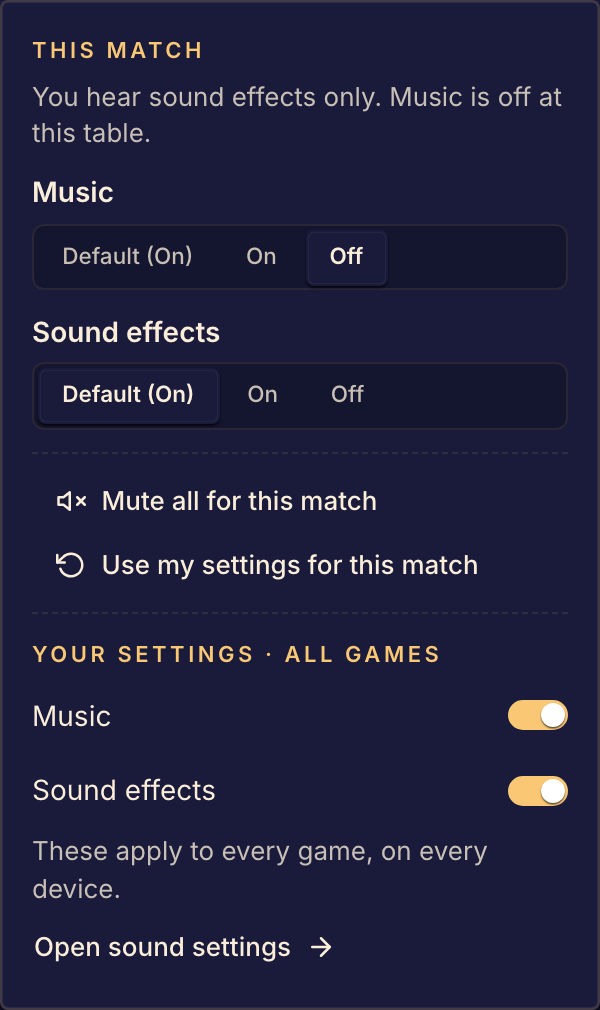
Each player turns music and effects on and off, for every game or for one match, from the sound control on the bar. Boardweaver applies the choice: an effect played while effects are off does nothing, and music plays muted while music is off, so it keeps its place. Read useAudioSettings() only to show the player's choice in your own controls.
Browsers play no sound until the player presses or types in the game. Music started before that starts at the first press. Boardweaver drops an effect played before it.
Sound made with Web Audio ignores the player's settings, so a player who turned sound off still hears it. Upload a file and play it with useSounds() instead.