Play with bots
A bot is a computer player that takes a seat in your match. Only the host of a lobby can add or remove bots, and only in games whose designer added bots. If the game has no bots, the lobby shows no Add a bot button.
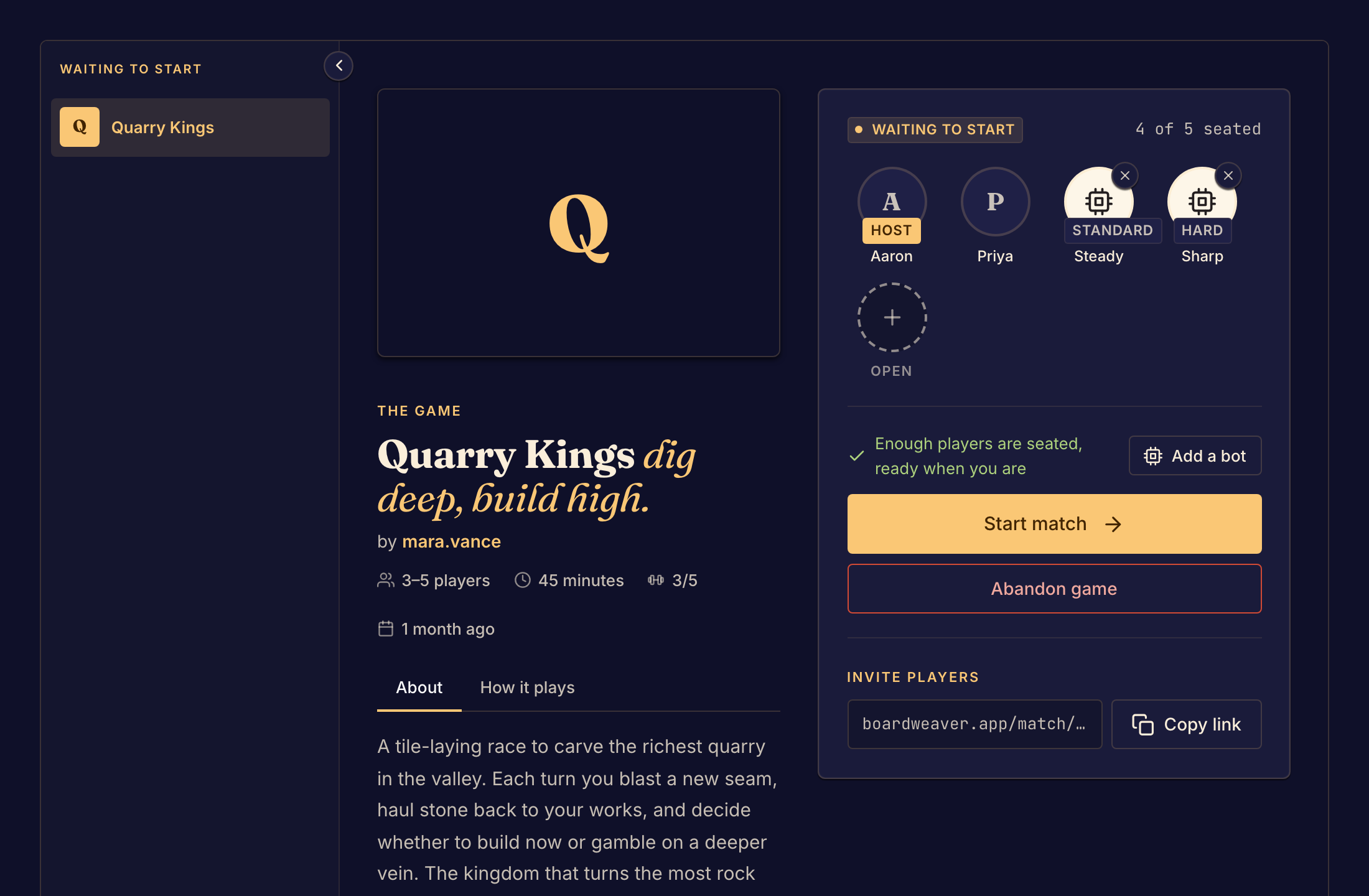
Add a bot
- Open your lobby as its host. To open one, see Start a match.
- Select Add a bot beside the seat status line, or select an open seat.
- Choose a bot from the menu. When the game gives a bot a difficulty, a badge shows Easy, Standard or Hard.
- Repeat for each seat you want a bot in.
- Select Start match when enough players are seated.
To remove a bot, select the small cross on its seat. Only the host sees the cross.
When the lobby cannot start
| Status line | What to do |
|---|---|
| Bots need a person to play with. Seat someone to start. | Have at least one person take a seat. A match cannot have only bots. |
| A bot is no longer in this version. Remove it to start. | The game's designer removed that bot. Its seat shows Not in this version. Remove it, then add another bot. |
Bots in a new lobby
When you choose a different game in the lobby, Boardweaver removes every bot, because each game has its own bots. Next Match after a game brings the people back, but not the bots. Add the bots again in the new lobby.
Next, read Seats and starting the game.