Find a game
The Play catalog lists every game you can start. Search and filter it, read a game's page, then select Play to open a lobby for your group.
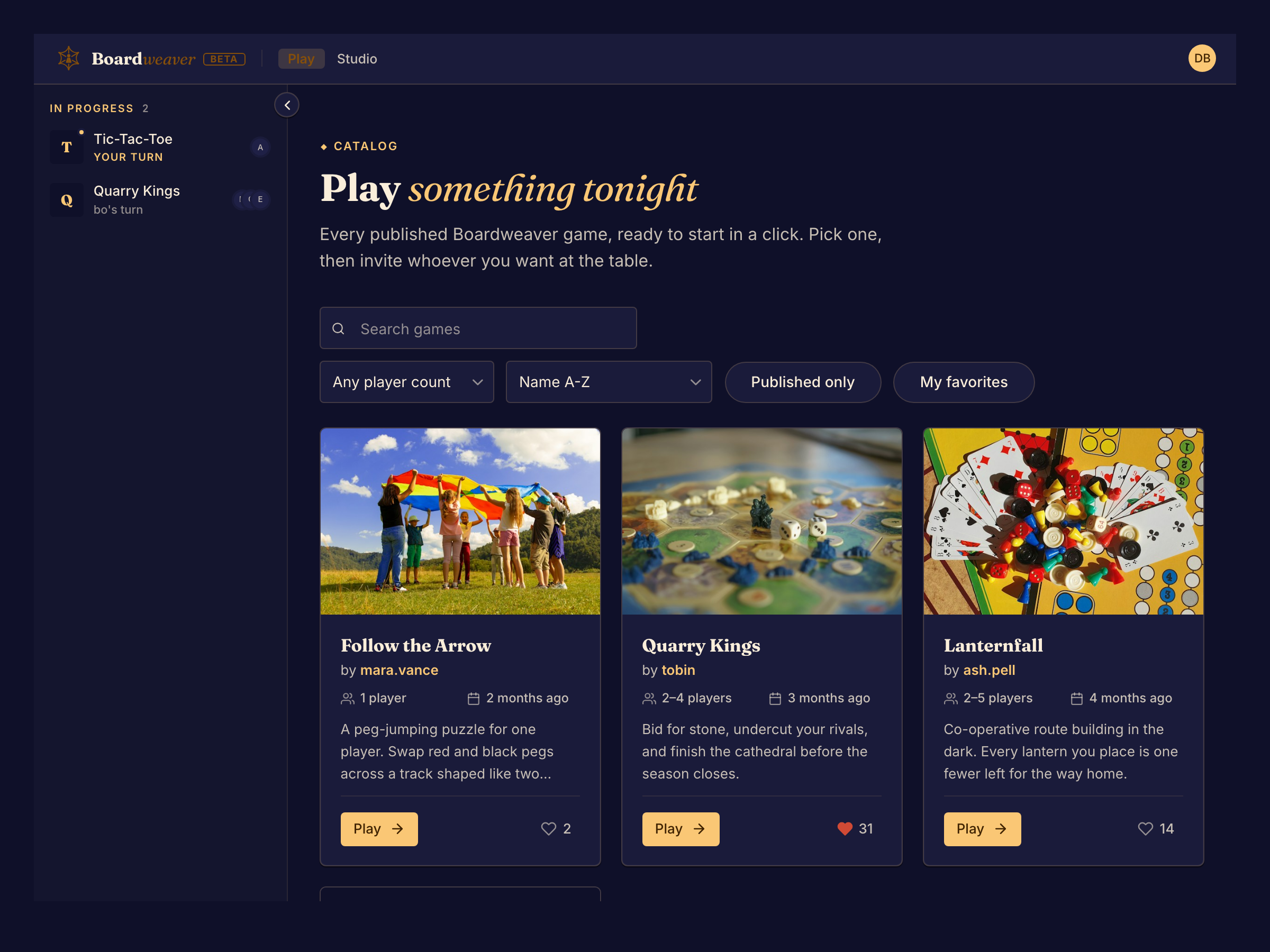
Choose a game
- Open Play.
- Type a name in Search games, or choose a number in Player count. To hide games that are still being tested, select Published only.
- Select Play on a game's card. The game's page opens.
- Read the description, the player counts, the play time and the Plays in line, which lists the game's languages. To read the rules, select Rules beside the game's name. The button shows only when the game has rules.
- Select Play. Your lobby opens. Continue with Start a match.
If the catalog shows "No games match these filters", select Clear filters.
What the badges mean
Each card shows how far along the game is:
| Badge | Meaning |
|---|---|
| Published | The designer has released the game. |
| Public playtest | Anyone can play it while the designer is still testing it. It can change between matches. |
| Private playtest | Only people the designer invited can start it. |
To get into a private playtest, ask the designer for an invitation: see Create an account.
Keep your favorites
Select the heart on a card or a game's page to add the game to your favorites. You must be signed in. To see only your favorites, select My favorites in the catalog.