Review moves during a match
In games that show a match bar under the board, you can watch the moves you missed and look back at earlier positions. The board returns to the current position when you select Skip to now. Other games draw their own history, if they have one: read the game's Rules.

Catch up on moves you missed
When you open a match after other players have moved, a Welcome back card says how many moves you missed.
- Select the watch button to play the moves on the board. It names the number of moves, for example Watch the 3 moves.
- While the moves play, use the match bar to pause, step back or forward, or change the speed.
- Select Skip to now to go to the current position.
To go straight to the current position, select Skip to now on the card. To stop seeing the card in this match, turn on Always skip to now in this match.
Look back at earlier moves
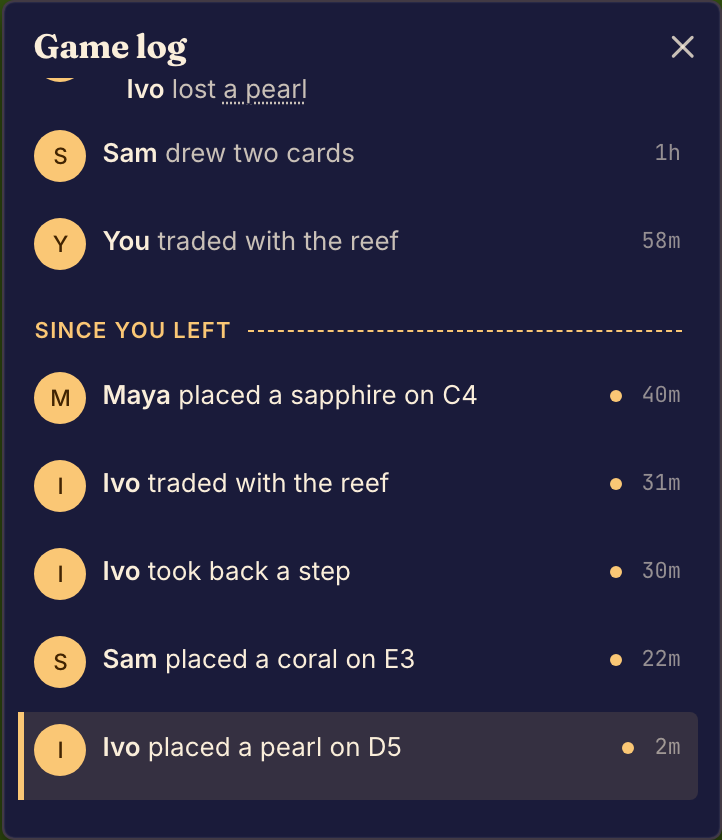
- At the current position, select the game log button on the match bar. On a phone, you can also swipe up on the bar. The game log opens, with the newest move at the bottom. A number on the button counts the moves you have not seen.
- Select a move in the log. The board shows the match at that move.
- Use the back and forward arrows on the match bar to step one move at a time.
- Select Skip to now to go back to the current position.
If you try to move while you look back
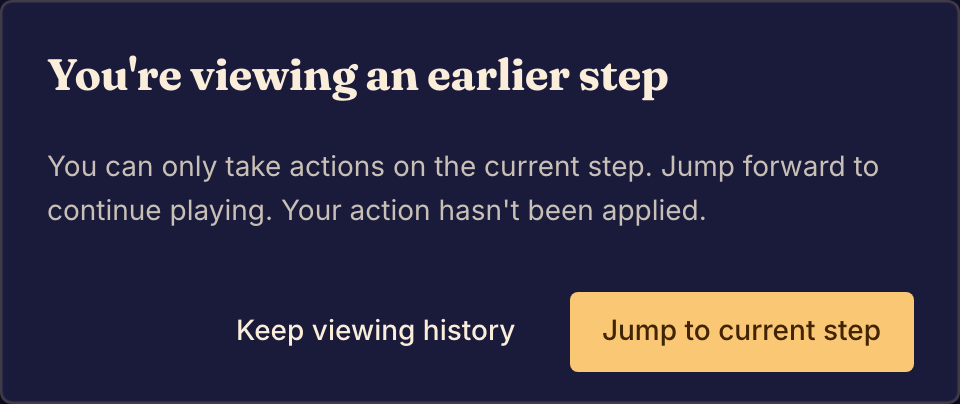
You can only act on the current position. If you try, Boardweaver shows "You're viewing an earlier step", and your action does not happen. Select Jump to current step, then make your move again. Select Keep viewing history to keep looking.
To play back a match that has ended, see Watch a replay.