Join a match
To join a friend's match, open the link they send you and take a seat in the lobby. The lobby is where players wait until the host starts the match. Use the link: Play on the game's page opens a new lobby of your own, not your friend's.
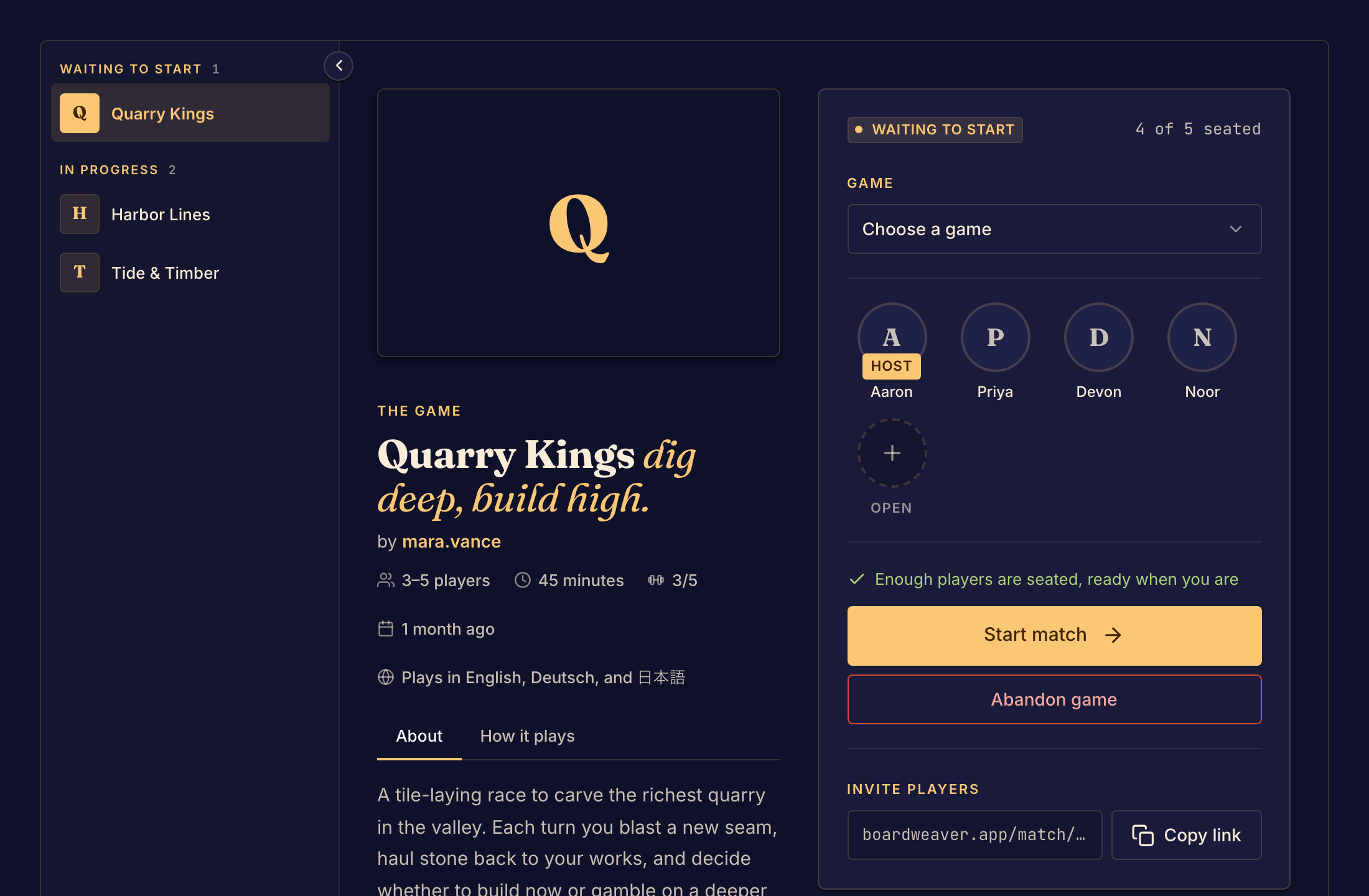
Take a seat
- Open the match link from the host. The lobby opens.
- Select Take a seat, or select an open seat.
- If Boardweaver asks you to sign in, sign in or create an account. If the game lets guests play, you can type a name under What should the table call you? and select Take your seat instead.
- Check that your name is in a seat. Your button changes to Waiting for the host to start.
- Wait for the host to select Start match. The board opens.
To give up your seat before the match starts, select Leave match.
If you cannot join
| What you see | What it means and what to do |
|---|---|
| Every seat is taken | The lobby is full. If the host lets people watch, you watch when the match starts. Otherwise ask the host to make room. |
| This match is open to watch. | The match has started, so you cannot take a seat. You can watch it: see Watch a match. |
| This match isn't open to watch. | The match has started, and the host does not let people watch. Ask to join the next match. |
| This match has already wrapped up. | The match has ended. Ask the host to start another. |
| The host ended the match. | The host closed the lobby. Ask the host for a new link. |
| Match not found | The link is wrong, or nobody started the lobby. Boardweaver removes a lobby that has not started after 12 hours. Ask the host for a new link. |
| Sign in to take your seat | The game does not let guests play. Sign in, or create an account. |
At an event, a table has a code or a QR code instead of a link. See Join an event table.
Next, learn the Game controls.