Watch a match
You can watch a match without a seat when its host has opened it to spectators. A spectator sees the board as it is played, but never a player's private game information, such as the cards in a hand. A spectator cannot make moves. You must be signed in to watch.
Watch
- Open the match link.
- If the page says "This match is open to watch.", select Log in to watch and sign in.
- The board opens. A Spectating badge shows that you watch and do not play.
- When you are done, open the three-dot menu and select Stop watching. On a phone, tap Stop watching in the match drawer.
If you open the link while the match is still in its lobby and do not take a seat, you watch when the match starts. In a full lobby, the page says "You'll be watching when the game starts."
Open or close a match to spectators
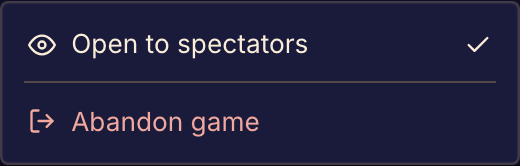
As the host, turn Open to spectators on or off beside the invite link in the lobby. During the match, select Open to spectators in the three-dot menu. When you close a match, every spectator stops seeing the board.
A new lobby starts open to spectators, except a private playtest, which starts closed. The players see who is watching beside the match's controls.
If you cannot watch
| What you see | What it means |
|---|---|
| This match isn't open to watch. | The host has not opened the match to spectators. Ask the host to open it. |
| This match has already wrapped up. | The match has ended. Spectators cannot watch a finished match. |
The players can watch a finished match again as a replay. See Watch a replay.