Game controls
You move pieces and make choices on the board itself. The game's designer decides how those work, so read the game's Rules to learn them. Around the board, Boardweaver gives every match the same controls:
| Control | What it does | Who sees it |
|---|---|---|
| Rules (book icon) | Opens the game's rules beside the board. | Players, when the game has rules |
| Full screen | Gives the board the whole screen. | Everyone |
| Speaker button | Changes music and sound effects for this match. See Sound settings. | Everyone, when the game has sounds |
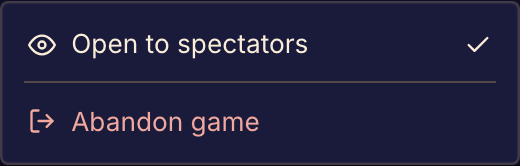
| Eye icon | Shows that the match is Open to spectators. The host can select it to open or close the match to them. | The host, and everyone else while the match is open |
| Three-dot menu | Holds Open to spectators for the host, Abandon game for players, and Stop watching for spectators. | Everyone |
| Game log, arrows, Play, Skip to now | Show earlier moves and move you back to the current one. See Review moves during a match. | Everyone, in games that show the match bar |

Where the controls are
Some games show a match bar under the board, with the move controls in the middle and the other controls at its right end. Other games show the controls in a bar above the board, and draw their own history if they have one.
On a phone, the controls are in a drawer under This match. Open it with the menu button at the left end of the match bar, or with the floating button in a corner of the board. See Play on your phone.
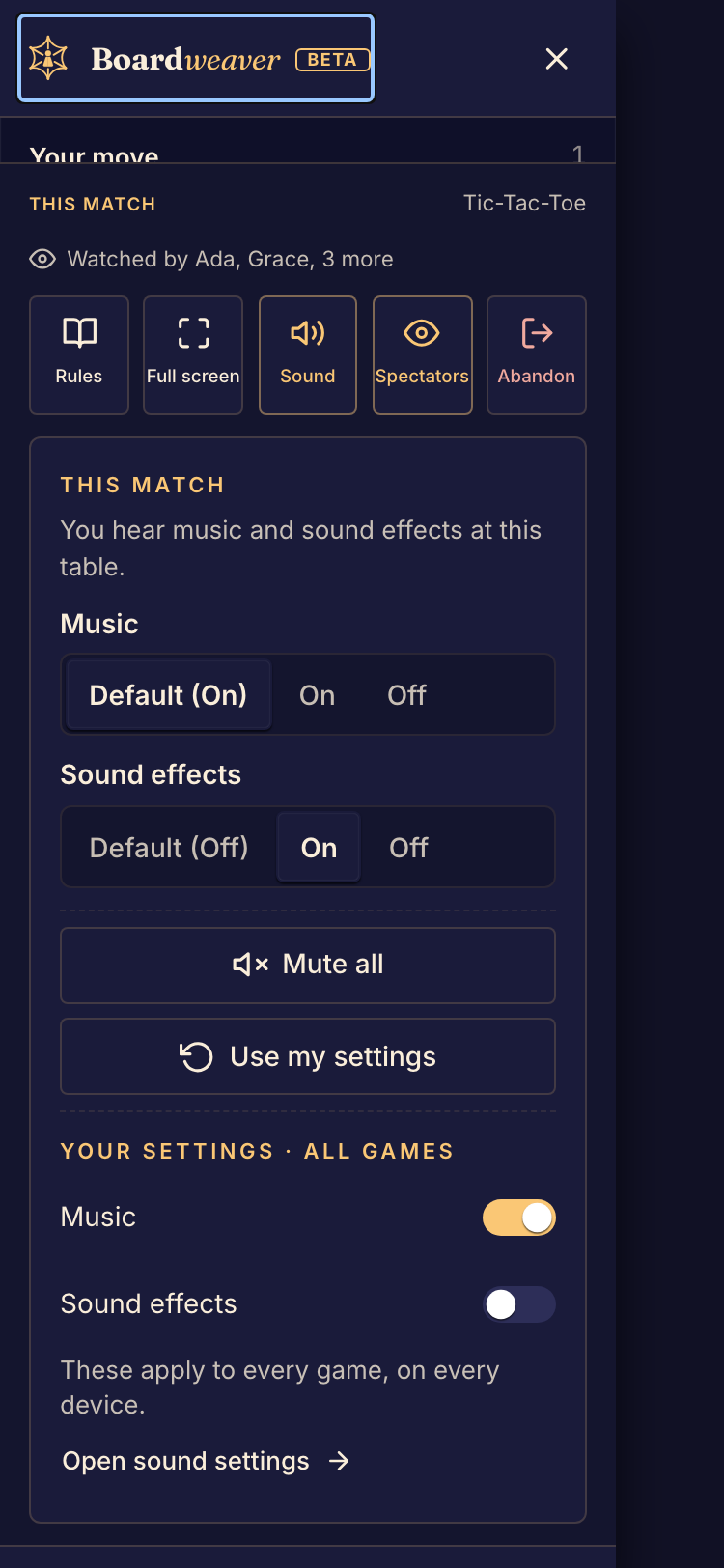
Abandon game ends the match for every player and cannot be undone. Before you use it, read Leave or end a match.