Find your matches
Your matches lists every started match you play in or watch, sorted by whose move it is. A lobby that has not started is not on the list: open it again from its link. A finished match is on your profile.
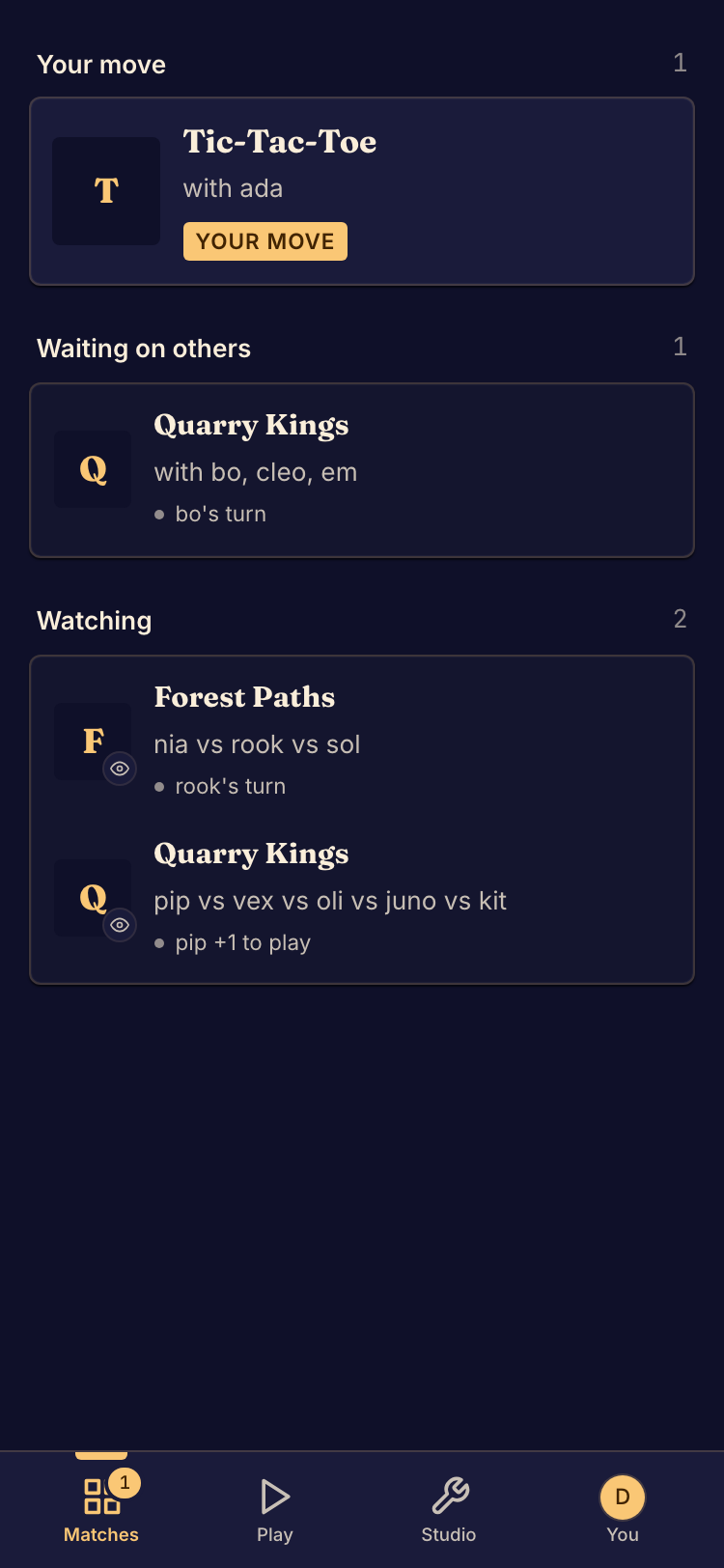
Return to a match
- Sign in with the account or the guest you played as.
- Open Your matches. On a phone, tap Matches in the tab bar. On a wider screen, the list beside the Play pages shows the same matches.
- Find the match under Your move, Waiting on others or Watching.
- Select the match. The board opens.
Return to a finished match
Open your profile and the Recently played tab. Select a match to watch its replay. See Watch a replay.
If a match is missing
- Check that you are signed in with the account you played with.
- A guest is a different player on each device, and a guest sign-in lasts 7 days. See Play as a guest.
- A lobby is not on the list until it starts. Boardweaver removes a lobby that nobody has started after 12 hours.
- If you cannot sign in, see Recover account access.