Play as a guest
A guest plays under a name, with no email address or password. Each game's designer decides what a guest may do, and an event organizer decides it for each event table:
| You want to | As a guest you can when |
|---|---|
| Take a seat in a friend's match | The game lets guests join. |
| Start a match of your own | The game lets guests host. |
| Sit at an event table | The table lets guests sit. |
A guest sign-in lasts 7 days on the device where you started it. To keep playing as the same player after that, or on another device, keep your account.
Join or host as a guest
To join, open the match link and select Take a seat. In Pull up a chair, type a name under What should the table call you? and select Take your seat.
To host, open the game's page from Play. Under Set up a table, type your name and select Start a match. Your lobby opens: see Start a match.
When the game does not let guests do that, Boardweaver asks you to sign in. A game can let guests join a friend's match but not start one. Then the game's page says "To start a new one, this game asks you to sign in."
At an event, the table has its own rule for guests. See Join an event table.
Keep your account
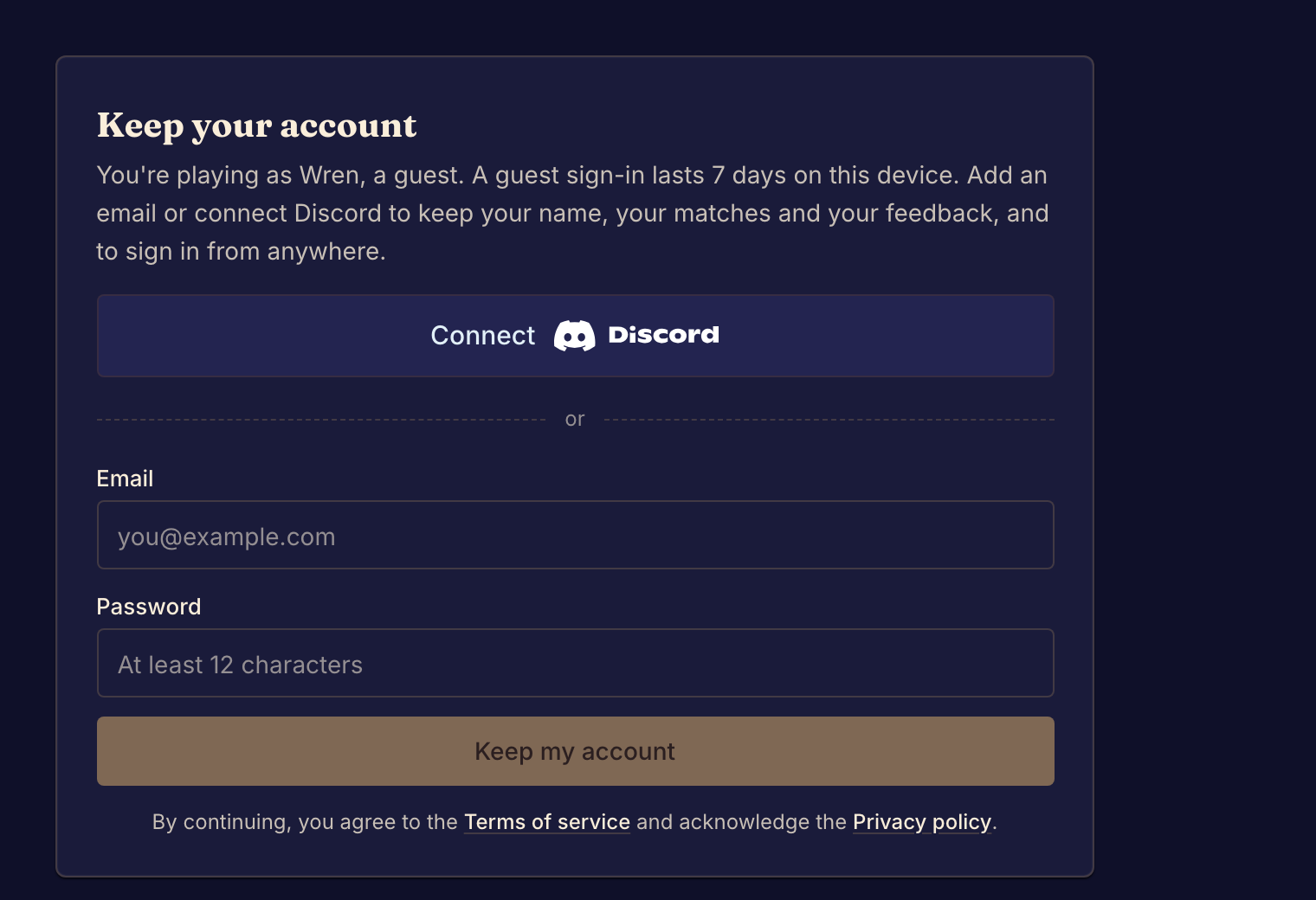
Keeping your account turns your guest into a full account with the same name, matches and feedback. Then you can sign in from anywhere.
- Open Settings. The General tab shows Keep your account.
- Select Connect Discord, or enter an Email and a Password of at least 12 characters and select Keep my account.
- If you used email, open the email Boardweaver sends and follow its link to confirm the address.
Do this before the 7 days end, and before you clear your browser's data. If you already have an account, sign in to it instead of playing as a guest.
A guest gets no email from Boardweaver, but can turn on browser notifications. See Manage notifications.