Edit your profile
Your profile is the page other signed-in players see when they open your name. You can change its picture and its About text. Boardweaver has no setting to change your display name.
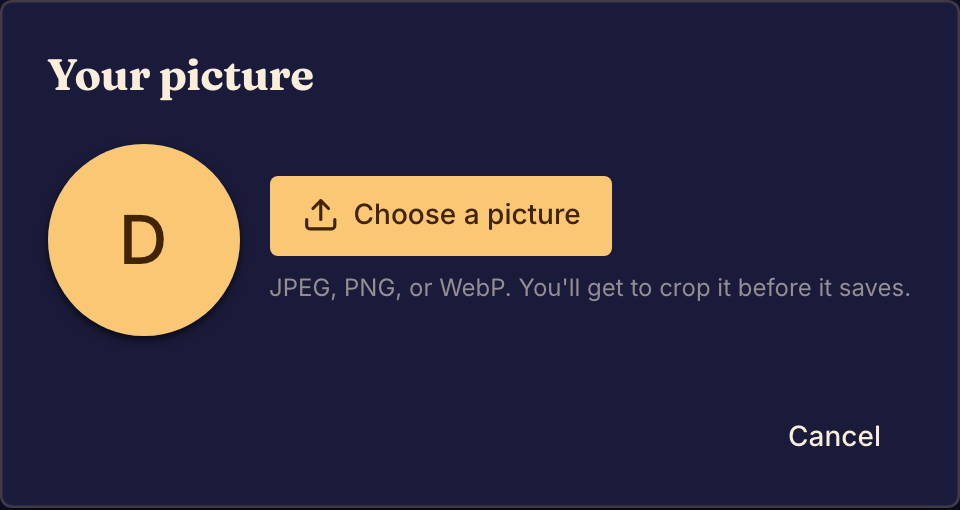
Change your picture
- Open the account menu (your picture at the right end of the top bar) and select your name. On a phone, tap You in the tab bar. Your profile opens.
- Select your picture. The Your picture dialog opens.
- Select Choose a picture and pick a JPEG, PNG or WebP file.
- Crop the picture, and use Zoom to fit it.
- Select Save. Boardweaver shows "Picture updated".
In the same dialog, Remove picture goes back to your initials. If you joined with Discord, Use my Discord picture uses your Discord picture.
Change your About text
- On your profile, open the About tab.
- Select Edit about.
- Write up to 1,000 characters, then select Save. Boardweaver shows "About saved".
Everyone who can see your profile can read this text. Do not put private contact details in it.
What your profile shows
Your profile also has these tabs, which you do not edit:
| Tab | What it shows |
|---|---|
| Favorites | The games you added to your favorites. |
| Recently played | Your finished matches, each with its replay. See Watch a replay. |
| At the table | How many games you played, won, lost and tied. |
| Published games | Games you published from the Studio. |
To change sound, language or notifications, open Settings instead.