Give playtest feedback
A playtest is a version of a game that its designer is still testing. When a playtest match you sat at ends, Boardweaver asks you for feedback, and your answers go to the designer. The designer writes the questions, so each game asks different ones. Every question is optional.
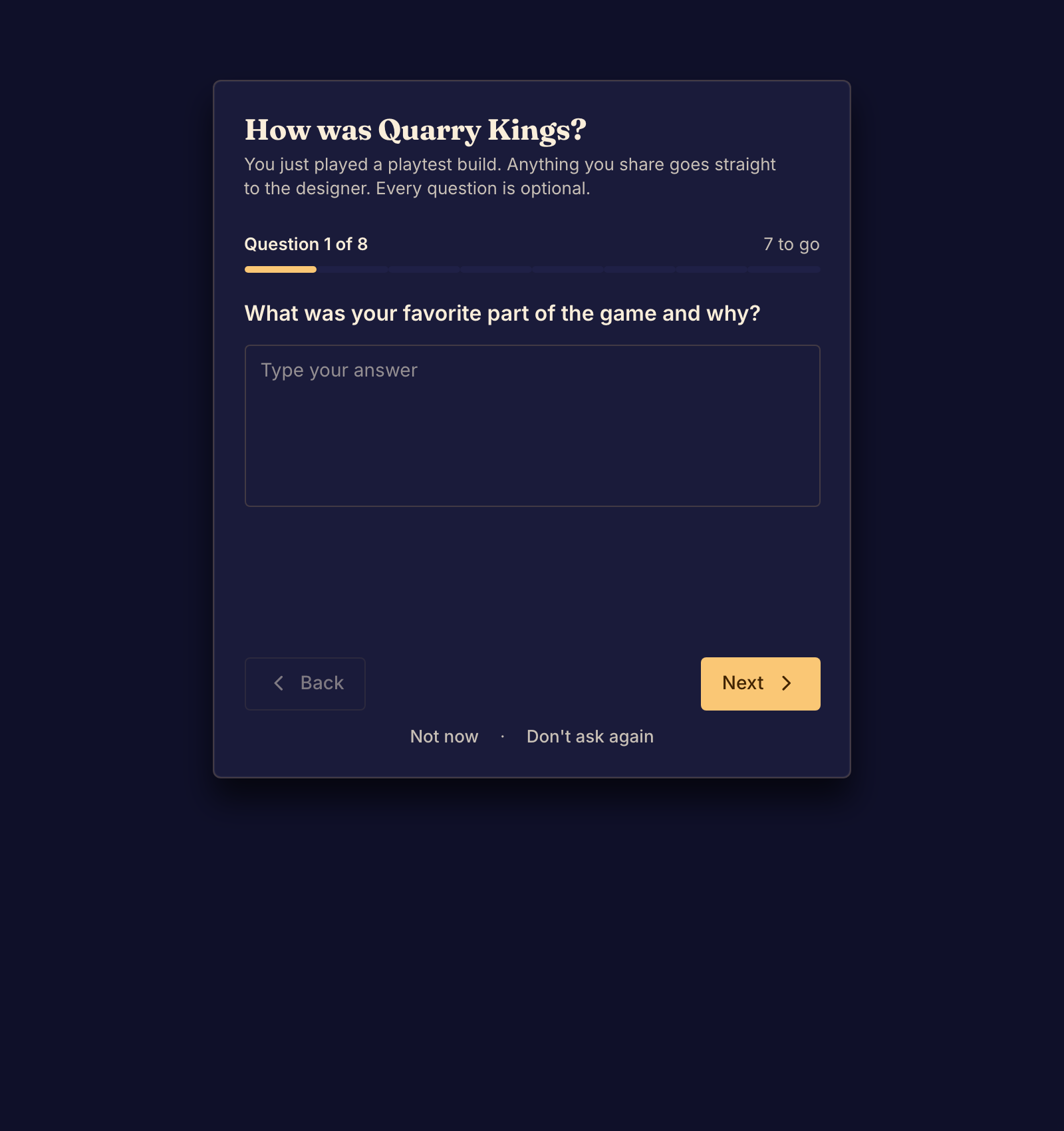
Answer the questions
- Select Give feedback on the "How was (game name)?" message that appears after the match. The form opens.
- Answer the question. A question can ask for text, stars, a point on a scale, one or more choices, or an order of items.
- Select Next. Select Back to change an earlier answer.
- Select Send to designer after the last question. Boardweaver shows "Thanks, sent to the designer".
To answer later, select Not now. The request stays under the bell in the top bar, as "How was your playtest? The designer is asking." Select it there to open the form. To refuse, select Don't ask again.
If you abandon a playtest match, Boardweaver asks you for feedback too.
Clear feedback names the moment, what you expected, and what happened. If the game did not load, see Fix a connection or loading problem instead.