Seats and starting the game
A lobby has one seat for each player the game can take. The host starts the match with Start match, once the number of seated players is one the game plays with. The line beside the seats says why a lobby cannot start yet:
| Status line | What it means |
|---|---|
| No one's seated yet, be the first to pull up a chair. | Nobody has taken a seat. |
| Waiting on (number) more players to begin | The game needs more players. Send the lobby's link to more people. |
| Seat one more player to reach a valid count | The game skips this number of players, for example it plays with 2 or 4 but not 3. The line lists the numbers it plays with. |
| Too many players (max (number)) | More players sit than the game plays with. Someone must leave. |
| Bots need a person to play with. Seat someone to start. | Only bots are seated. See Play with bots. |
| Enough players are seated, ready when you are | The host can select Start match. |
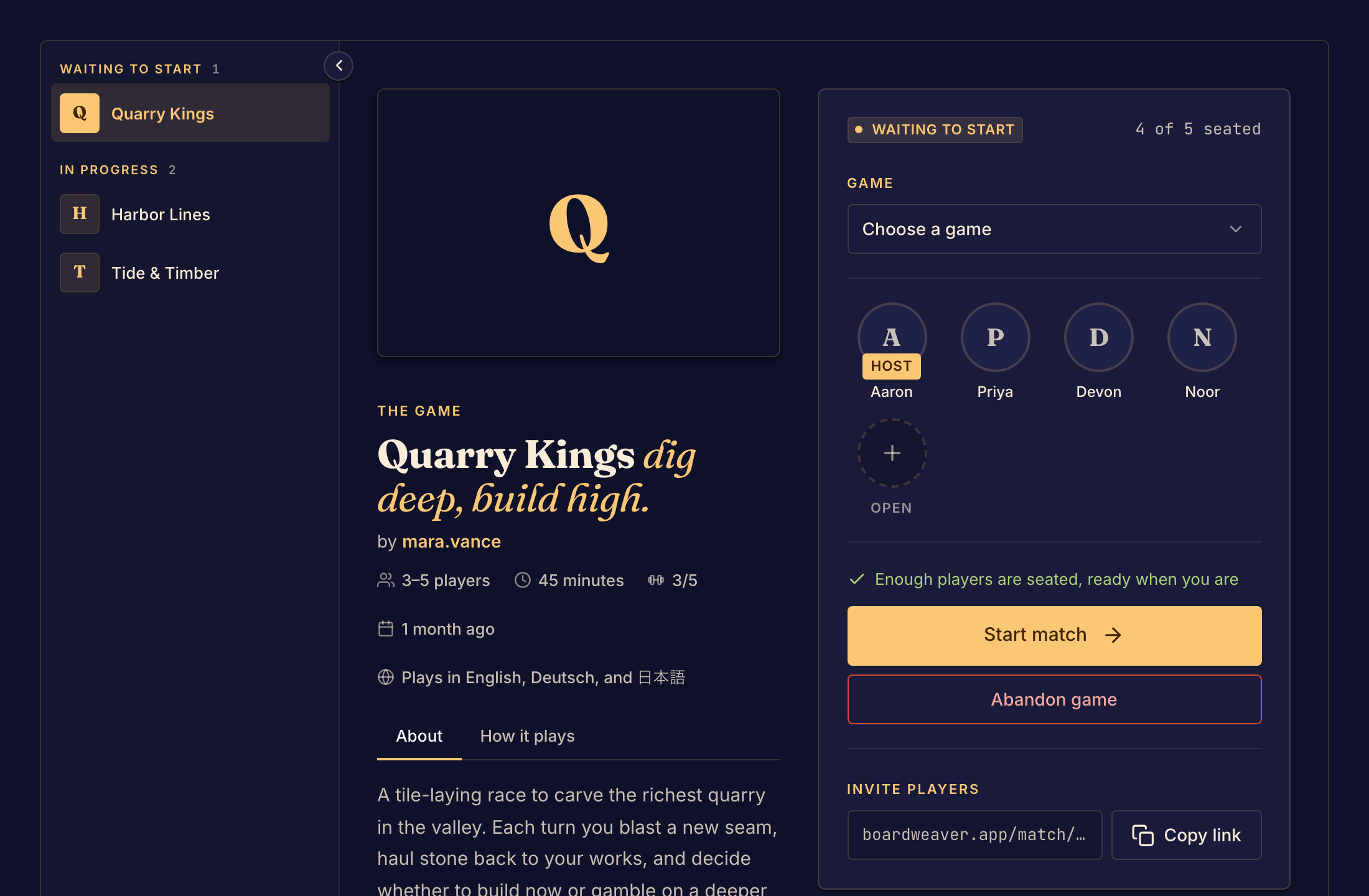
The seat row
The Host badge marks the person who opened the lobby. An empty seat shows Open. The seat count, such as "3 of 4 seated", shows how many seats are taken. Other players see Waiting for the host to start until the host starts the match.
Who can start
The host starts a match they opened. An event table has no host: its organizer chooses who starts the game, and the line under the button says how. See Join an event table.
Everyone must be in the same lobby. If a friend selected Play on the game's page, they opened a lobby of their own. Send them the link to your lobby instead.
To open a lobby and invite players, see Start a match.