Leave or end a match
What leaving does depends on where you are. Leaving a lobby gives up your seat, but abandoning a match that has started ends it for every player.
| Where you are | Control | What happens |
|---|---|---|
| A lobby, as a player | Leave match | You give up your seat. The lobby stays open for the others. |
| A lobby, as the host | Abandon game | The lobby closes for every player. You cannot undo this. |
| An event table's lobby | Leave the table | You give up your seat at the table. |
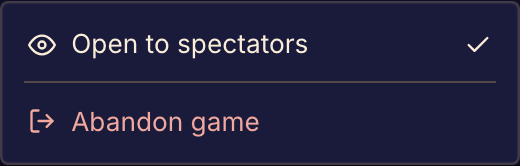
| A match in progress, as a player | Abandon game in the three-dot menu, or Abandon in the phone drawer | The match ends for every player, and your seat is marked as abandoned. You cannot undo this. |
| A match you are watching | Stop watching | You stop watching. The match goes on. |
| The results of a finished match | Return to games | You go back to the catalog. When the host starts the next game, you are not in it. |
Before you abandon
Boardweaver asks "Abandon this match?" before it closes a lobby or ends a match. Select Abandon game to go on. Select Keep waiting or Keep playing to stay.
When a player abandons a match, the others see "A player abandoned the match, so it ended early." If the match was a playtest, Boardweaver asks you for feedback: see Give playtest feedback.
Closing the page
Closing the page or the browser does not leave the match. Your seat stays yours. To return, open the match link again or see Find your matches.
A locked match
If you see "This game is locked pending review.", someone reported a problem with the game's code. The match cannot continue, and you cannot abandon it, while an administrator reviews it.
To play another game with the same group, see Play again.