Commit a game version
A commit makes your saved working files into a version that people can play. Boardweaver builds the game when you commit, and makes no version if the build fails. A commit does not share the game: you choose who plays each version in a separate step. Editors and admins can commit.
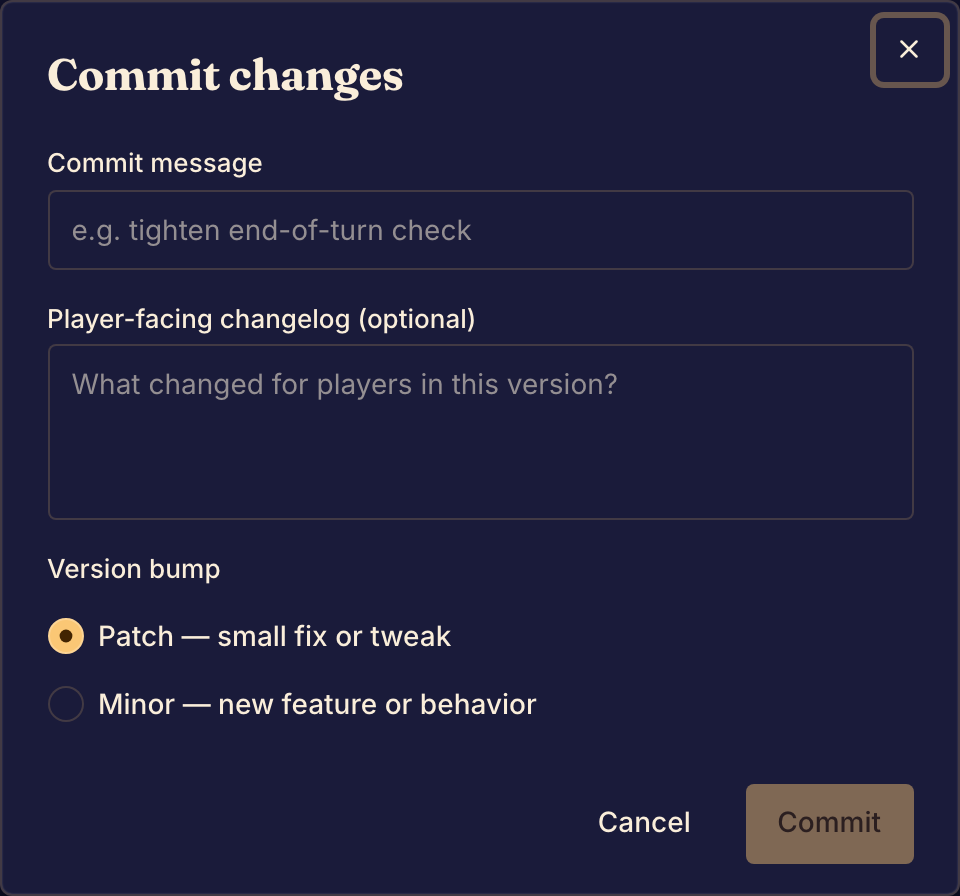
Make a version
- Try your changes in Preview. The Studio sidebar shows Uncommitted changes while you have edits that are not in a version.
- Select Commit at the bottom of the Studio sidebar. The Commit changes dialog opens.
- In Commit message, say what you changed, for you and your team.
- In Player-facing changelog (optional), say what changed for players.
- Under Version bump, choose Patch for a small fix or tweak, or Minor for a new feature or behavior.
- Select Commit.
Boardweaver builds the game, then shows Changes committed. Uncommitted changes goes away, and the version badge in the sidebar shows the new commit's short code, such as #4f9c1ab.
Matches that already started keep the version they started with. To choose which version players get, see Game versions and release channels.
If the commit fails
Boardweaver shows a message that says why. Your working files stay as they were.
"There's nothing to commit". Your working files are the same as the last version. Commit stays unavailable until you change something.
"The game doesn't build or a unit test fails". The message lists the problems. Fix them on the Code page, or ask your coding agent to fix them, then commit again. See Edit game files.
"The game's files changed while it was building". Someone saved an edit during the build. Commit again.
"The game builder is busy", "We couldn't reach the game builder" or "The game builder was just updated". Boardweaver could not build the game at that moment. Wait a few minutes and commit again.
"A translation's placeholders differ from the default catalog's". A translated message is missing a placeholder that the default message has. Add it back, then commit again. See Translate a game.
Next, share the version with testers. See Run a private playtest or Open a public playtest.