Roles and permissions
Each member of a game has one role on that game: Playtester, Editor or Admin. The role decides what the person can do with that game only.
| Task | Playtester | Editor | Admin |
|---|---|---|---|
| Start a match on the latest commit (a private playtest) | Yes | Yes | Yes |
| Open Preview, Art, Sounds, Theme, Rules and Stats | Yes | Yes | Yes |
| Get asked for feedback after a playtest match | Yes | No | No |
| Edit code, art, sounds, theme, translations and the game page | No | Yes | Yes |
| Open Errors, Matches and Feedback form | No | Yes | Yes |
| Commit a version | No | Yes | Yes |
| Open or update a public playtest | No | Yes | Yes |
| Open Release, and end a public playtest there | No | No | Yes |
| Invite people and change roles in Members | No | No | Yes |
| Let guests play in Guests | No | No | Yes |
| Delete game | No | No | Yes |
Limits on roles
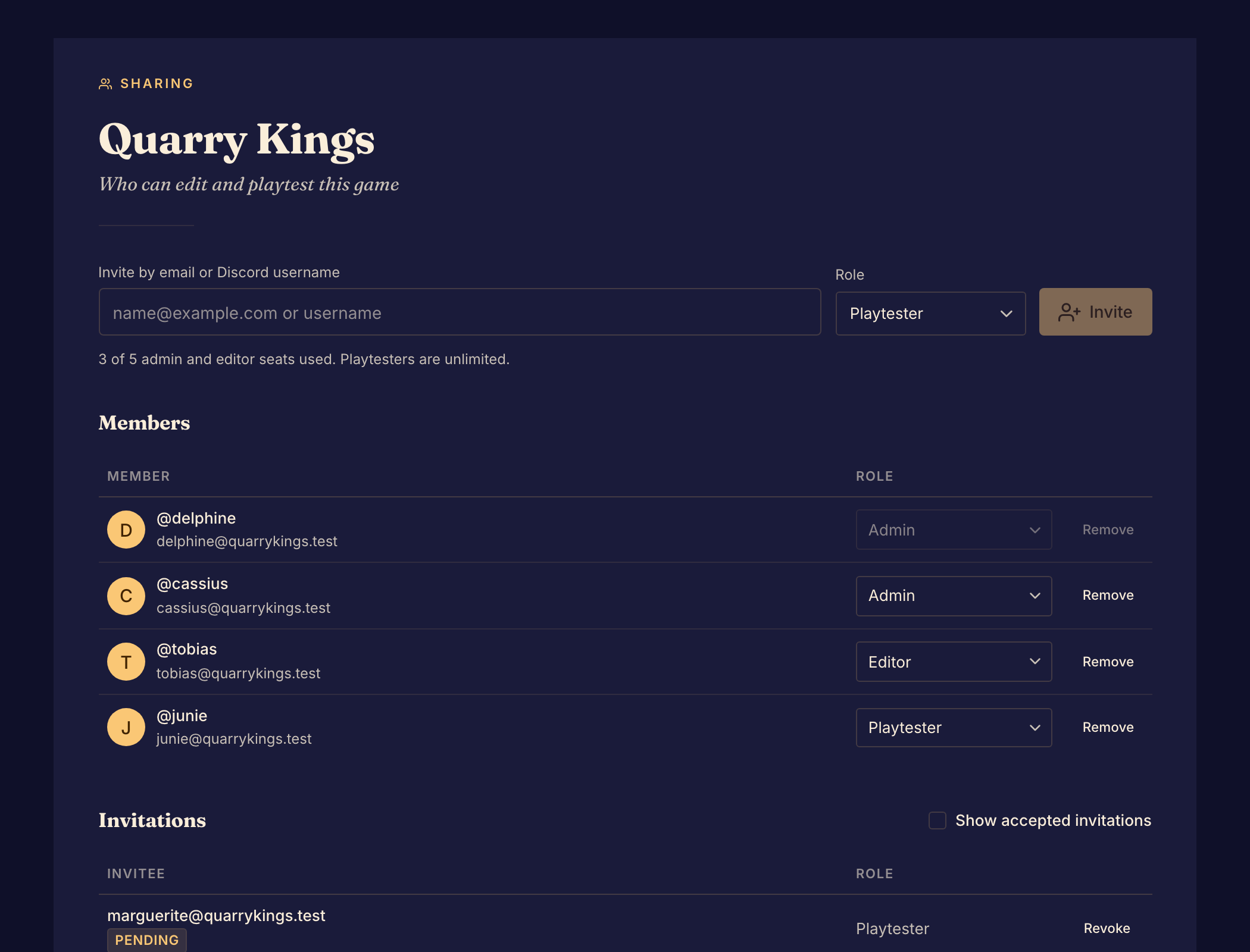
A game can have up to 5 admins and editors, counting pending invitations for those roles. It can have any number of playtesters.
A game must keep at least one admin. To remove the last admin or change their role, first make someone else an admin. You cannot change your own role or remove yourself in Members.
A person gets a role only when they accept the invitation. Until then, the invitation shows as Pending and they have no access.
Roles and plans
A role does not change anyone's plan. Some features depend on a plan as well as a role:
- Guest play follows the plan of the game's creator.
- Uploading sounds and changing the feedback form follow the plan of the person who does it.
To give someone a role, see Invite collaborators and playtesters.