Investigate game errors
The Errors page lists the 25 latest times your game's code failed while people played it, newest first. Each error names the match and the version it happened in, so you can find the cause and fix it. Editors and admins can open it: in the Studio sidebar, under Health, select Errors.
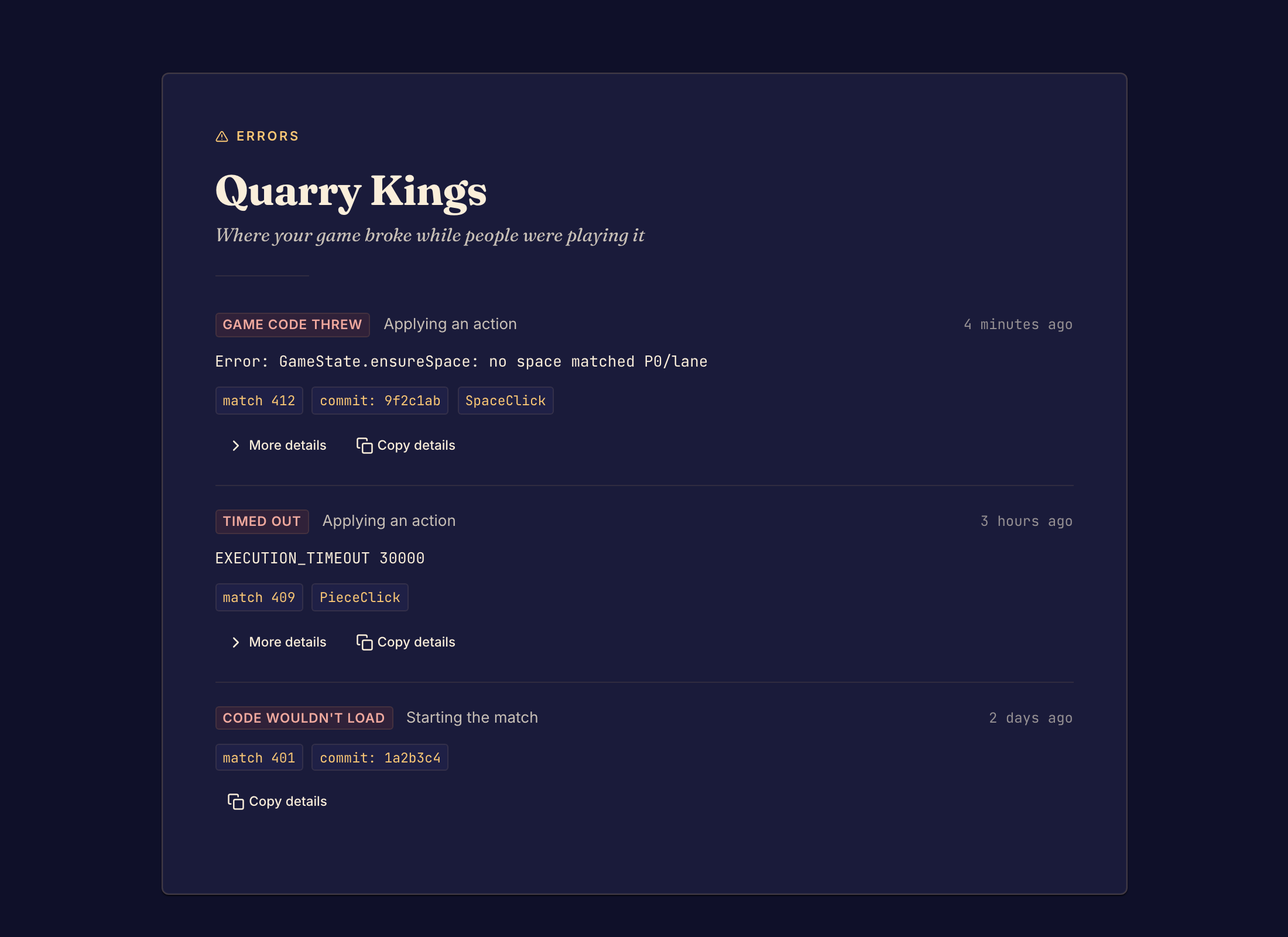
Read an error
Each error shows:
- a red label with the kind of failure (each kind has a section below)
- Starting the match or Applying an action, which says when it failed
- the error message
- the match number, and the code of the version that ran, such as commit: 4f9c1ab
- the type of action a player took, when there was one
Select More details to see the Action and the State before it. Select Copy details to copy the whole error, then paste it to your coding agent.
To try the failure again, open Preview and play to the same position. See Preview a game.
Game code threw
Cause: your game's code raised an error while it started the match or applied an action.
Fix: read the message and the State before. Find the code that handles that action in that position, and fix it.
Timed out
Cause: your game's code took too long to answer.
Fix: look at the action shown. Find the code that runs for it, such as a loop that does not end, and make it finish.
Code wouldn't load
Cause: the version's code could not load when a match started.
Fix: open the Code page and check that the game builds. Then commit a version that loads. See Edit game files.
Bot not in module
Cause: a match asked for a bot that this version of the game does not have.
Fix: add that bot to your game, or ask players to pick another bot.
Bot had no move
Cause: a bot had to act but found no move to make.
Fix: make sure your bot can choose a move in every position where its seat must act.
Bots kept playing
Cause: the bots kept playing without a move from a person, so Boardweaver stopped them.
Fix: check that the game ends, or gives a person a turn, when only bots are playing.
Module failed, Runtime aborted or Unreadable state
Cause: the game failed in a way that the message describes, or answered with something Boardweaver could not use.
Fix: copy the details and give them to your coding agent with the version's code.
After you fix it
Try the fix in Preview, then commit a game version. Matches that already started keep the version they started with, so the error can happen again in them. New matches get the fix only after you make the new version the one players get. See Game versions and release channels.
Problems that stop a commit do not show on this page. See Commit a game version.