Invite collaborators and playtesters
Admins of a game invite people from Members. Give each person the role they need: Admin, Editor or Playtester. A game can have up to 5 admins and editors, and any number of playtesters.
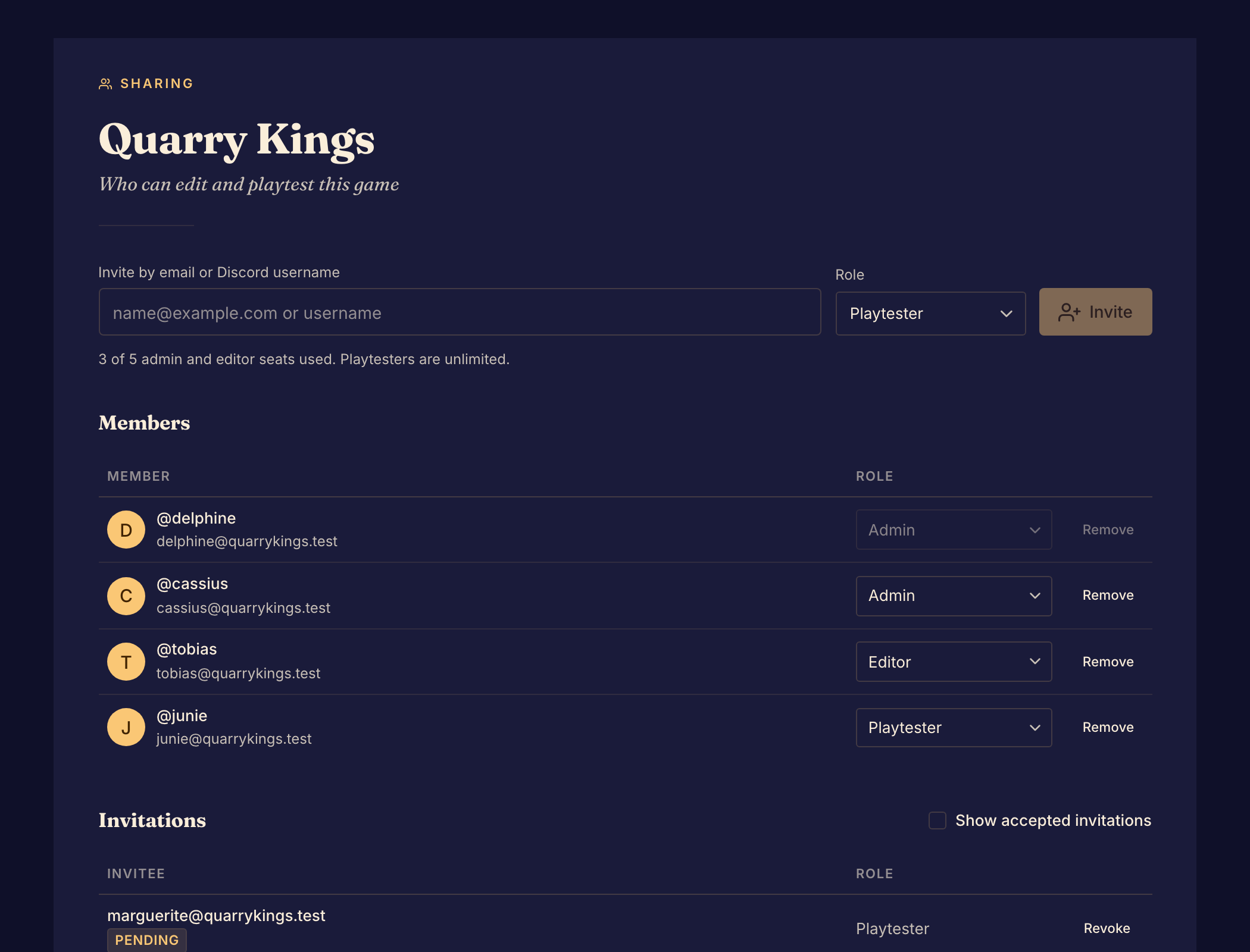
Invite someone
- Select Members under Access in the Studio sidebar.
- In Invite by email or Discord username, enter the person's email address or their username.
- Choose a Role. See Roles and permissions.
- Select Invite. The invitation shows under Invitations as Pending, and Boardweaver emails it to the person.
- Ask the person to accept. They select the link in the email, or Review invitation on their Your invitations page, and then select Accept.
When they accept, they show under Members. An invitation expires after 30 days.
If the invitation does not go out
| What you see | What to do |
|---|---|
| No invitation email was sent | Your account reached its limit of 10 invitation emails per day. The invitation still stands. Tell the person yourself. |
| We couldn't find that account | Check the username, or invite the person by email. |
| Several accounts use that username | Invite the person by email. |
| They're already a member of this game | Change their role in the Members list. |
| All 5 admin and editor seats are taken | Remove an admin or editor, or invite the person as a playtester. Pending invitations for admins and editors use seats too. |
| Expired beside an invitation | Invite the same address again. Boardweaver sends a new invitation. |
Change or remove access
- To change a role, choose a new one in the member's Role menu.
- To remove a member, select Remove on their row.
- To cancel an invitation, select Revoke on its row.
- To see invitations that people accepted, turn on Show accepted invitations.
You cannot change your own role or remove yourself here. A game must keep at least one admin, so you cannot remove the last admin or change their role. Make someone else an admin first.
Next, run a private playtest.