Plans and feature access
A Studio control can be missing or locked for two reasons: your role on the game, or a plan. Some features check your own plan. Guest play checks the plan of the person who created the game.
| Feature | Who can use it |
|---|---|
| Code, Marketing, Errors, Matches and Feedback form pages, Commit, Promote to public playtest | Editors and admins of the game |
| Translations page | Editors and admins of a framework v3 game |
| Release, Members, Guests and Delete game | Admins of the game |
| Upload sounds | Editors and admins whose own plan is Designer or Professional |
| Change the feedback form | Editors and admins whose own plan is Designer or Professional |
| Turn on guest play on the Guests page | Admins, when the game's creator has the Designer or Professional plan |
| Run an event | Anyone whose own plan is Professional |
| Framework v3 | Everyone. It is a preview. |
Roles
Your role on a game decides which Studio pages you see. A role belongs to one game: you can be an admin of one game and a playtester of another. See Roles and permissions.
Plans
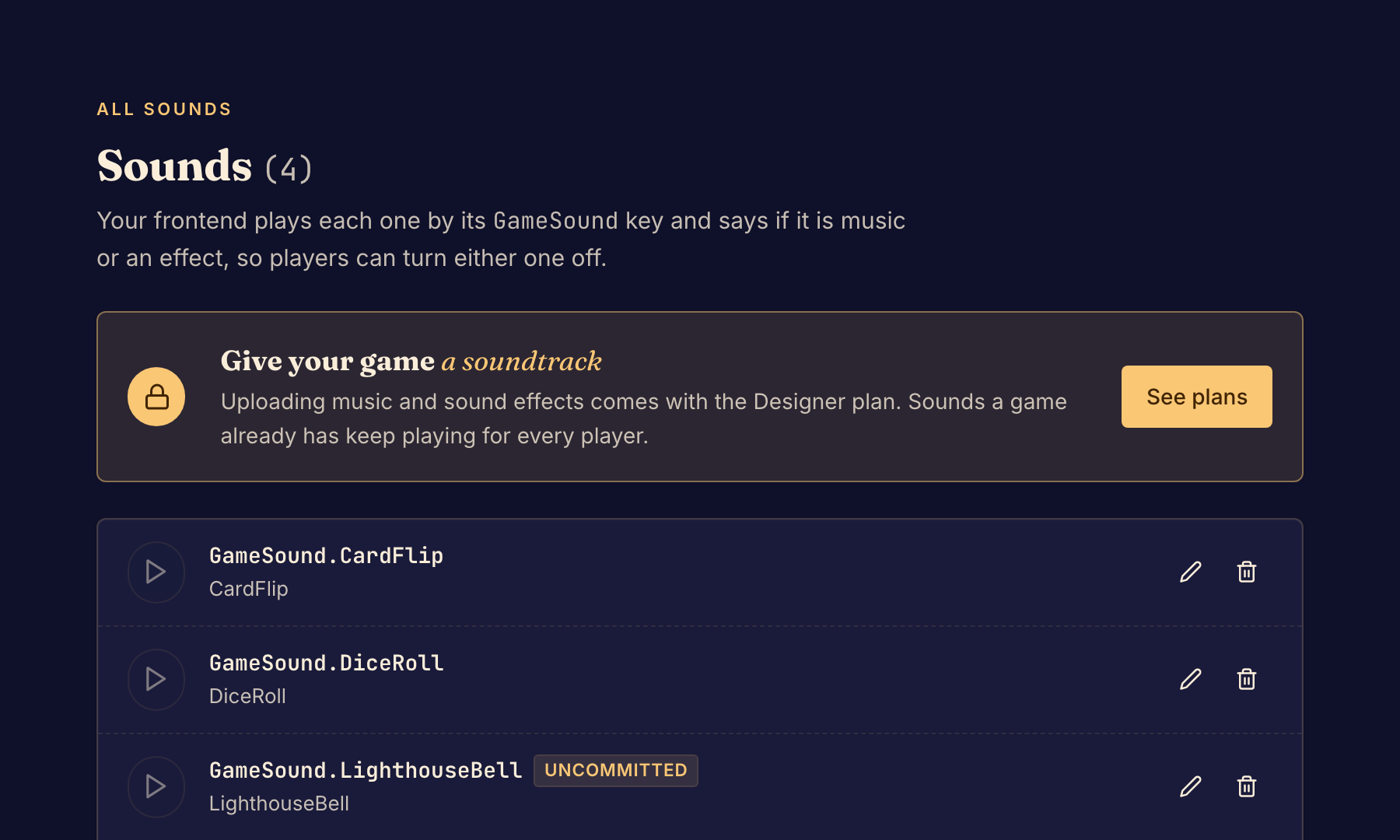
When your plan does not include sounds or the feedback form, the Sounds or Feedback form page shows a banner with See plans. The page still shows what the game already has. Sounds a game already has keep playing for every player. Playtesters answer the questions the feedback form shows.
Your own plan decides sounds, the feedback form and events, not the plan of the game's creator. Two editors of the same game can see different results. Guest play is the exception: it follows the plan of the game's creator, for every admin of the game.
When your plan does not include events, the Events pages say "Upgrade to Boardweaver professional".
To run an event, you do not need a role on the game. See Create an event.
Plan details and prices are on the Pricing page.