Run a private playtest
In a private playtest, the members of your game play your latest commit before anyone else can. Members are the people you invite to the game as admin, editor or playtester. When a playtest match ends, Boardweaver asks the testers for feedback.
Test with invited players
- Commit the version you want tested. Members play your latest commit, not your working copy. See Commit a game version.
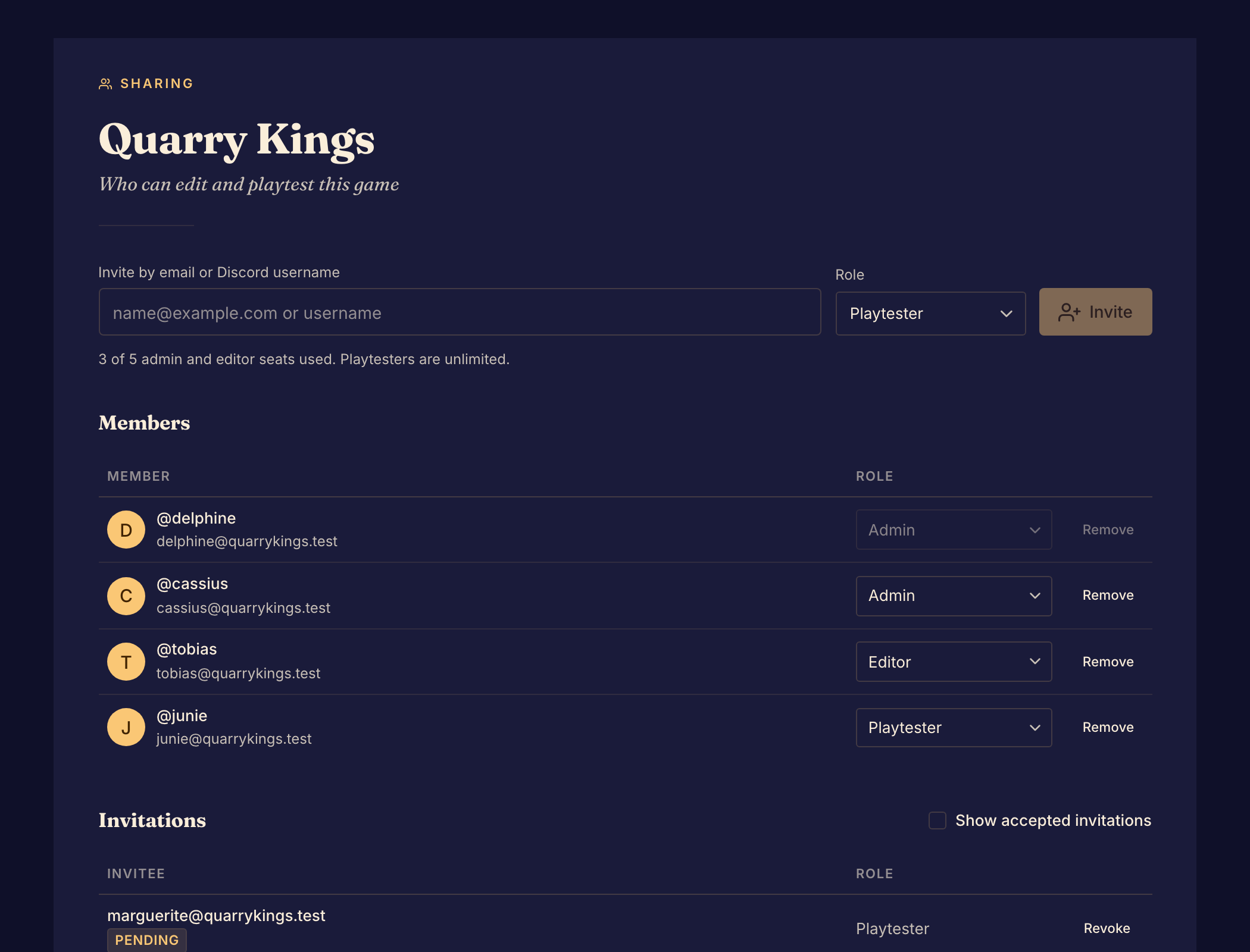
- Invite each tester with the Playtester role, from Members. Only admins can invite. See Invite collaborators and playtesters.
- Ask each tester to accept the invitation. They then show under Members.
- Start a match on your game, as in Start a match, and send the match link to your testers.
- Check that the lobby shows the version you want. If your game also has a public playtest or a published version, a new match uses that version first. A Beta badge beside the game's name means the match uses your latest commit.
- Play the match to the end. Boardweaver asks each tester who finishes for feedback.
- Open Matches in the Studio to read the scores and the feedback.
Boardweaver does not ask admins and editors of the game for feedback.
Test a new version
Commit your changes again. The next match that starts uses the new commit. A match that already started keeps its version until it ends.
To let people without an account join, see Allow guest play. To choose the questions testers answer, see Create a feedback form.
Next, review matches and feedback.