Connect a coding agent
Connect a coding agent, such as Claude or ChatGPT Codex, so it can create and edit your games from your rules. You add Boardweaver to the agent as an MCP server, then approve the connection in Boardweaver. MCP is the standard that coding agents use to connect to other services. You do not need to write code for this.
Connect your agent
- Open the Studio page and select Get set up →. The Build it yourself page opens. On Your games, the same button shows until you connect an agent.
- Under Which agent are you using?, select Claude, ChatGPT Codex or Gemini Spark. The page shows the steps for that agent.
- In your agent's settings, add Boardweaver as a custom connector or MCP server. Use this address:
https://www.boardweaver.com/mcp - Start the sign-in from your agent. The agent opens a Boardweaver page in your browser.
- Sign in to Boardweaver if the page asks you to.
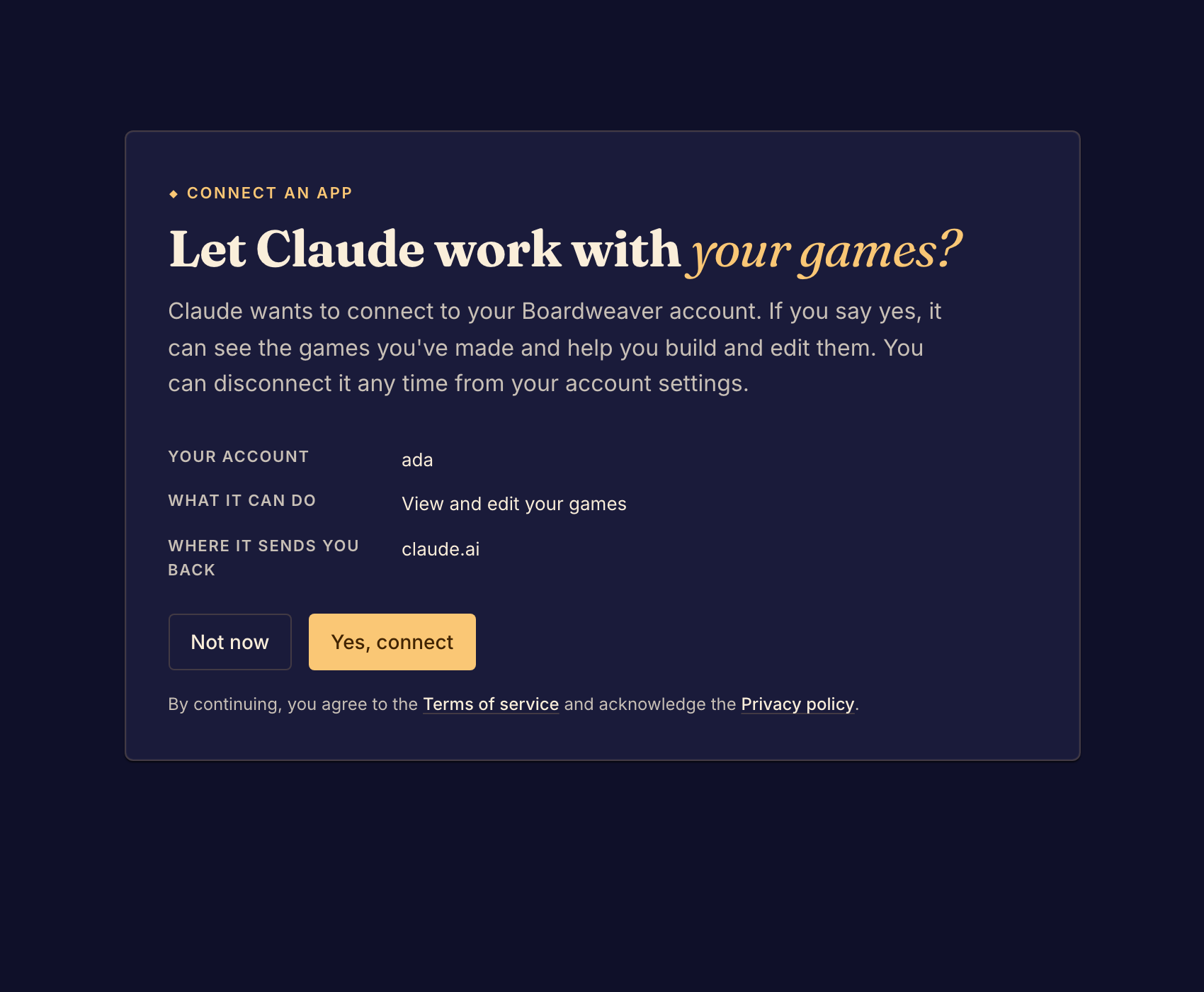
- Read the page. It names your account and says the agent can View and edit your games.
- Select Yes, connect. The browser sends you back to your agent.
- Ask the agent to list your games. It uses the list_my_games tool. If it names your games, the connection works.
To refuse the connection, select Not now at step 7.
What the agent can do
The agent sees the games your account can edit. It can create games, read and write their files, upload art and sounds, try the game, save checkpoints and commit versions. Each of these is a tool that your agent lists, such as create_game, write_file, upload_art and commit.
The agent can also read the framework docs through Boardweaver. It cannot read these Studio guides.
If something goes wrong
The page says "Nothing to connect here". The page opened without a request from your agent. Start the connection again from your agent.
The page says "An app" instead of your agent's name. Boardweaver does not know this agent by name. Read Where it sends you back before you approve. Approve only if that is the agent you set up.
To see or remove a connection later, see Manage agent connections. Next, create a game.