Create an event
An event puts one game on several tables for a group, such as a class, a game night or a convention booth. Each table gets a six-character code and a QR code. People scan or type the code, enter a name and sit down, and you do not take a seat. To run an event, your plan must be Professional. You do not need a role on the game.
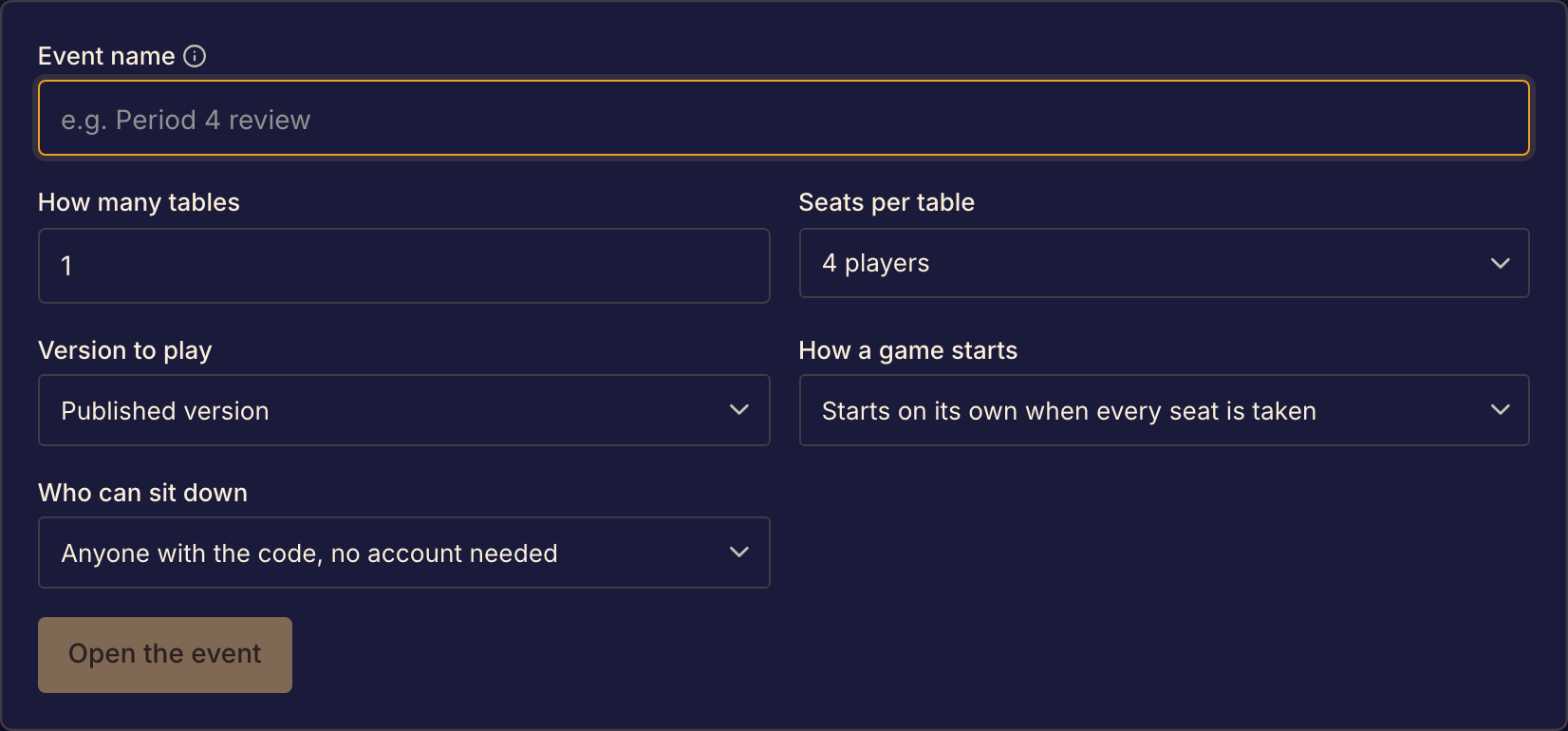
Set up the event
- Select Events at the top of the page, then select Run an event.
- Under Game, choose the game. The rest of the form appears.
- In Event name, type a name of up to 60 characters. It is printed on every table card and shown above the codes on screen.
- In How many tables, choose from 1 to 30.
- In Seats per table, choose a player count that the game plays with.
- In Version to play, choose Published version, Public playtest version or Latest commit (beta). The latest commit shows only for games you are a member of.
- In How a game starts, choose Starts on its own when every seat is taken, A seated player presses Start or The organizer starts each table.
- In Who can sit down, choose Anyone with the code, no account needed or Signed-in players only.
- Select Open the event. The event page opens with your tables and their codes.
You can change who can sit down and how a game starts later, on the event page. Select Add tables to add tables, up to 30 in all.
Before people arrive
Open one table's code yourself, in a browser where you are signed out, to check what people see. Then prepare the codes for the room. See Share and display table codes.
If something goes wrong
The page says "Upgrade to Boardweaver professional". Your plan does not include events. Running events is part of the Professional plan, which the Pricing page describes. See Plans and feature access.
The page says "Nothing to play yet". No game has a version you can run an event on. A game needs a published version or a public playtest version, or you must be a member of a game that has a commit.
Boardweaver shows "Couldn't open the event". The message gives the reason. Fix the setting it names, then select Open the event again.
The event page says the game no longer plays with your seat count. The game's player counts changed. Its tables cannot seat anyone new. Open a new event with a seat count the game uses.
Next, share and display table codes, then run event tables during play.