Game versions and release channels
You edit and preview your working copy. Players play a commit. A release channel decides which commit a group of players gets.
| Term | What it is | Who plays it |
|---|---|---|
| Working copy | The saved files you edit. | Only members of the game, in Preview. |
| Commit | A playable snapshot of the working copy. You make one with Commit. | Members play the latest commit. A public playtest or a published version can be an older commit. |
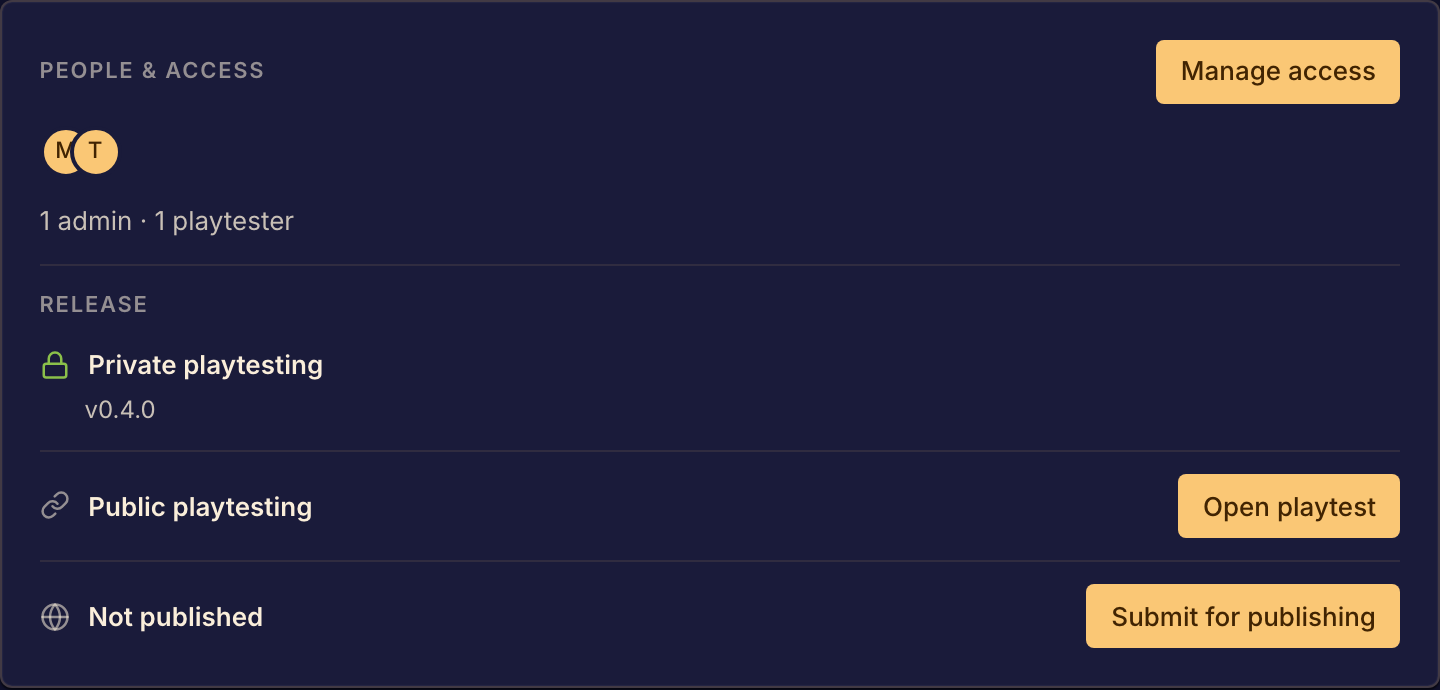
| Private playtest | Your latest commit. Release shows it as Private playtesting. | Members of the game. |
| Public playtest | The commit you promoted, with the version label you gave it, such as 1.0.0. Release shows it as Public playtesting. | Anyone on Boardweaver. |
| Published | The version in the catalog. Release shows it as Published. The Boardweaver team publishes games. | Anyone on Boardweaver. |
| Framework version | The version of Boardweaver's game framework that your game's code uses. See Framework versions. | Not a channel. |
A release channel is one of the three ways a game can be playable: private playtest, public playtest and published. A game can be in more than one channel at the same time, each with a different commit.
Which version a new match gets
When someone starts a match from the game's page, Boardweaver uses the first channel in this list that has a version:
- Published.
- Public playtest.
- Your latest commit, for members of the game only.
In the lobby, a Public playtest badge or a Beta badge beside the game's name shows which version the match uses. Beta means your latest commit.
When players get your changes
- Saving a file changes only your working copy. No match changes.
- After you commit, the next private playtest match that starts uses the new commit.
- After you promote a commit, the next public playtest match that starts uses it.
- A match keeps the version it started with until it ends.
The Studio shows Working copy while you preview edits that are not committed. Commit them to make a version.
To make your first version, see Commit a game version. Then share it with a private playtest or a public playtest.